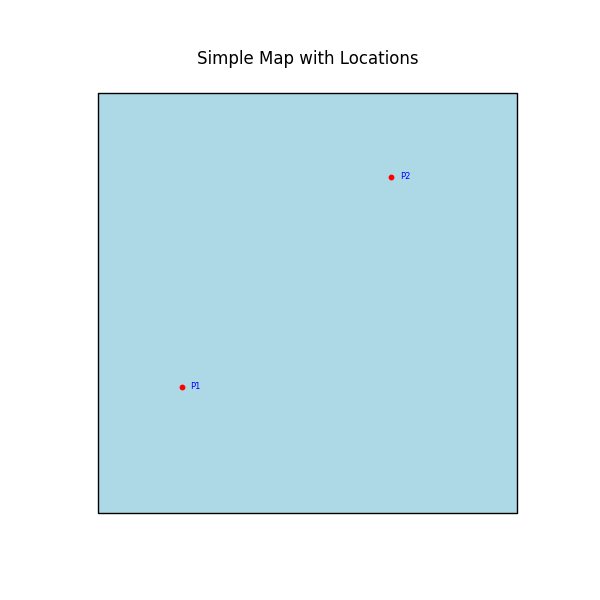
geomap
dawgdad/scripts/geomap.py
#! /usr/bin/env python3
"""
Simple example of using the geomap function.
"""

from shapely.geometry import Polygon, Point
import matplotlib.pyplot as plt
import geopandas as gp
import dawgdad as dd


def main():
    """
    Creates a simple map with a polygon and plots some labeled locations on it.
    The output is saved as an SVG file.
    """
    # Create a simple map GeoDataFrame (a square)
    map_data = {
        "name": ["Region A"],
        "geometry": [Polygon([(0, 0), (0, 1), (1, 1), (1, 0)])]
    }
    map_gdf = gp.GeoDataFrame(map_data, crs="EPSG:4326")
    # Create a simple locations GeoDataFrame (two points with labels)
    locations_data = {
        "code": ["P1", "P2"],
        "geometry": [Point(0.2, 0.3), Point(0.7, 0.8)]
    }
    locations_gdf = gp.GeoDataFrame(locations_data, crs="EPSG:4326")
    # Use the geomap function to plot
    ax = dd.geomap(
        map_file=map_gdf,
        locations_file=locations_gdf,
        map_colour="lightblue",
        edge_colour="black",
        line_width=1,
        marker_type="o",
        marker_size=10,
        point_colour="red",
        text_colour="blue",
        code=locations_gdf["code"].tolist(),
        figsize=(6, 6),
    )
    # Set a title for the plot
    ax.set_title("Simple Map with Locations")
    # Save the plot as a pgn file
    plt.savefig("geomap.png")


if __name__ == "__main__":
    main()